
Everything a small operation needs, in one place.
Five things Livery Pilot does for you every day, in the order a trip moves through your company.
Dispatch board and job tracking
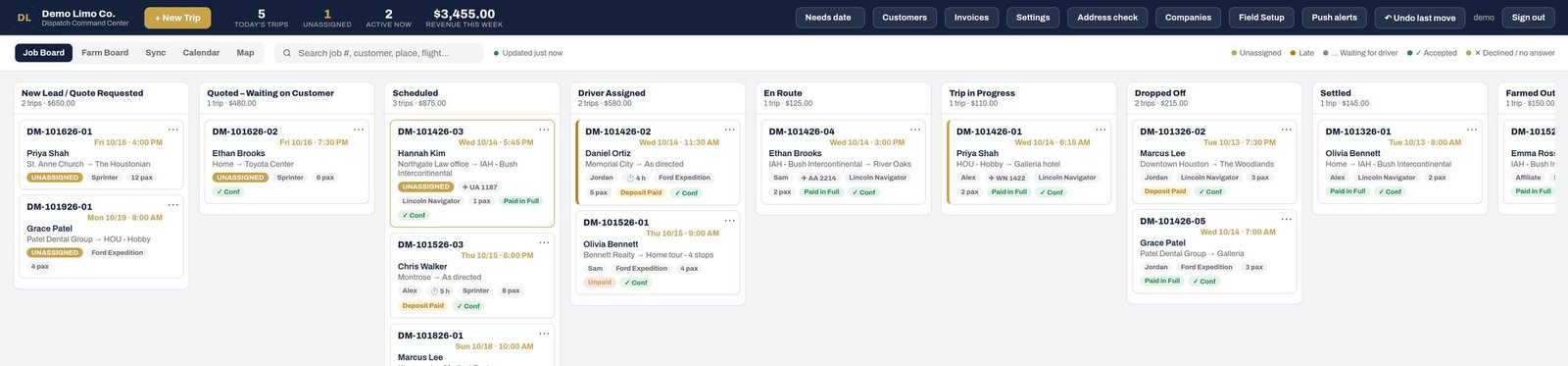
The job board shows each trip as a card in its stage, from the first call to settled. The board refreshes on its own every few seconds, so what you see is current.
- Columns for New Lead, Quoted, Scheduled, Driver Assigned, En Route, Trip in Progress, Dropped Off, Settled, Farmed Out, Farmed In and Cancelled.
- Drag a card to the next column. If the move needs something, like a driver, the board asks first. Undo puts a recent move back.
- Cards show the time, customer, route, vehicle, driver status, flight and payment status. Unassigned and late trips stand out.
- A top bar shows today's trips, unassigned trips, trips on the road and revenue this week.
- Search by job number, customer, place or flight.
- Live GPS vehicle tracking (Pro), other systems on request.
- One trip panel books a trip in about a minute, and every trip gets its own job number.
Driver app and trip status
Assign a driver in two taps. They answer from their phone, and you see it on the board.
- The driver gets an email with Accept and Decline buttons. No login is needed for that link.
- Reminders go out if a driver has not answered, and you get an alert as pickup gets close.
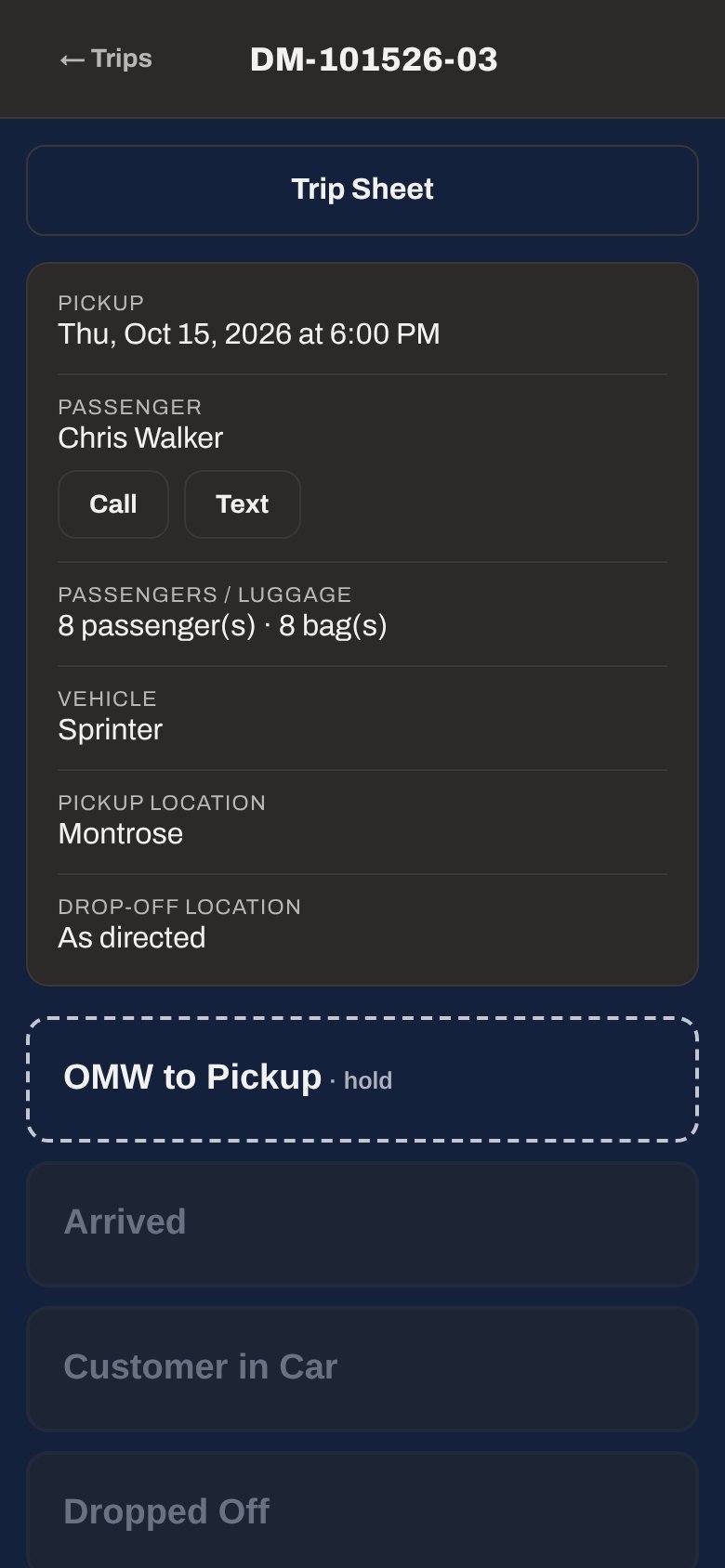
- Drivers sign in with their name and a 4 digit PIN, see today's and upcoming trips, call or text the passenger and open the trip sheet.
- Big press and hold buttons: On My Way to Pickup, Arrived, Customer in Car and Dropped Off. Each tap updates your board.
- Your customer can get an on the way email and an arrived email when the driver taps. You can turn this off.
- Android push alerts for drivers.
Affiliate farm-in and farm-out between companies
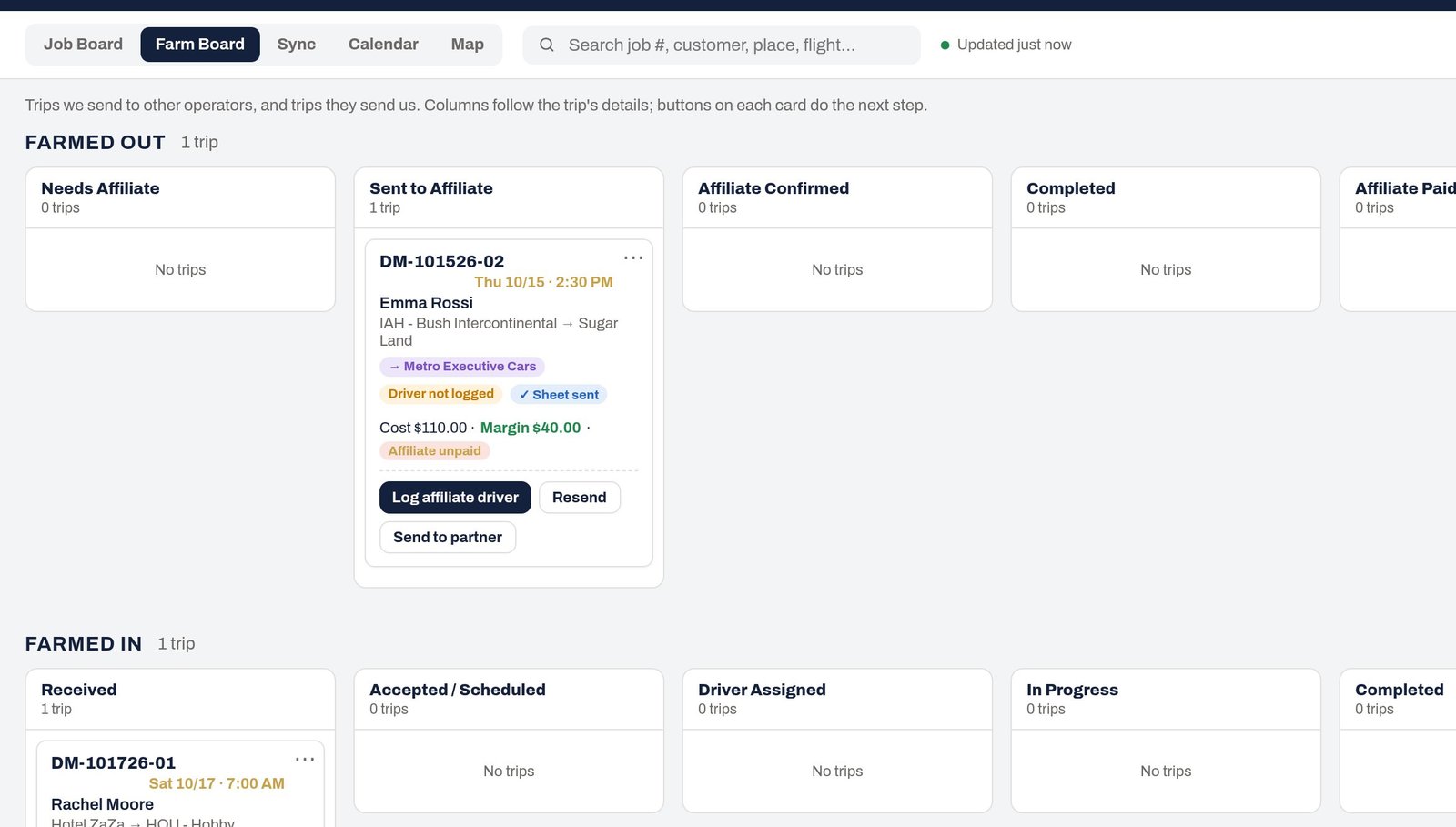
The Farm Board keeps every trip you send out, and every trip sent to you, in its own lane.
- Farmed out trips move from Needs Affiliate to Sent to Affiliate, Affiliate Confirmed, Completed and Affiliate Paid.
- Farmed in trips move from Received to Accepted, Driver Assigned, In Progress, Completed and Paid by Affiliate.
- Send your affiliate a trip sheet with the rate you pay them, never your customer's price. Your affiliate gets a private link. They accept with one tap, no account needed, then add their driver and vehicle. They can ask for changes and mark En Route, Arrived and Completed, and your board updates as they go.
- See your margin on every farmed out trip.
- On farmed in trips, the company that sent the job gets a text and an email as your driver taps through each step.
Invoicing, payment tracking and driver pay
Deposits, balances, invoices and cancellations, all tied to the trip.
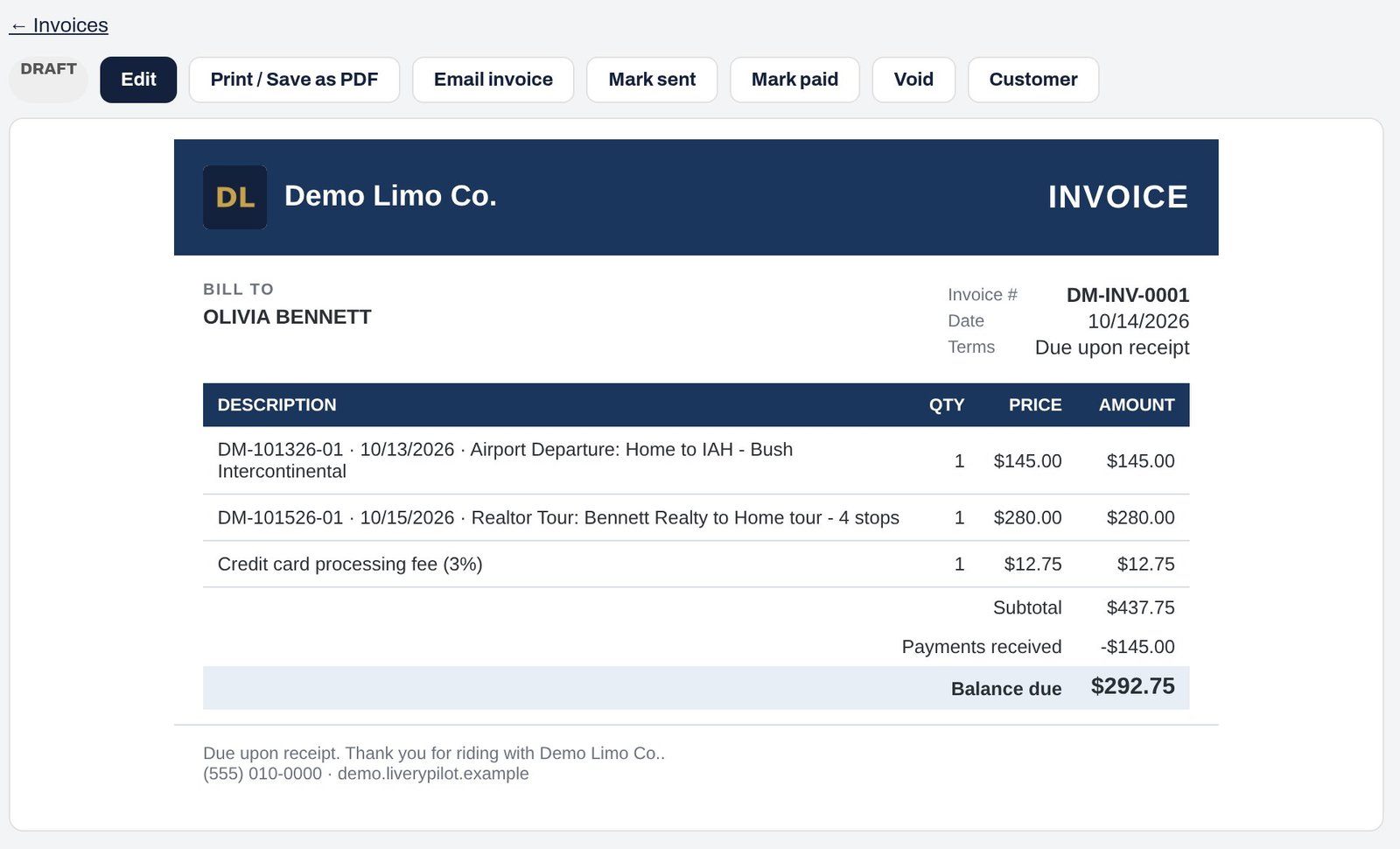
- Invoices are numbered in order and made from one trip or several. Edit them while they are drafts, then print, save as PDF or email.
- One button adds a credit card processing fee line, at the percentage you set.
- Every trip tracks payment method (card, cash, ACH or other), deposit, amount paid, balance due and payment status.
- Cancellation fees come from your own policy, and the app shows the refund amount.
- Driver pay: set flat, hourly or manual pay types. Each trip figures driver pay and estimated profit and tracks paid or unpaid. Only the owner sees it.
Ava, AI Booking Agent: AI phone answering for bookings
Optional extra, priced by quoteAva answers your calls 24/7, quotes and books trips, blocks spam calls, logs every call and texts you the details, so a ringing phone does not have to stop what you are doing.
- Answers your calls 24/7.
- Quotes and books trips.
- Blocks spam and robocalls so they never interrupt you.
- Call log report of every call, with blocked spam listed separately.
- Texts you the details of each call.
- Optional paid add on, separate from the core dispatch software and priced by quote.
Also included
Live GPS vehicle tracking (Pro)
Live GPS vehicle tracking (Pro), other systems on request.
Calendar
Day, week and month views with a lane for each driver. Drag a trip to reschedule; the app asks you to confirm and warns about double booking.
Smart pricing
Set your rates and policies once. Hourly minimums, round trips and deposits are figured for you, and you can always type over it.
Customer records
Trip history, total spent, balance due and a call log, without leaving dispatch.
Your brand
Your name, logo and colors on the board, the driver app, emails, trip sheets and invoices.
Messages with a preview
Confirmations, driver trip sheets and cancellation notices go out with your name, and you see a preview first.
Built around you
Missing something you liked in other software? Tell us. Requests are reviewed, and good ideas can be added.
Your company's own space
Your own web address, logins and data, with admin and dispatcher roles. Prices and driver pay show only to the people you allow.
Nothing to install
Works in the browser on any phone, tablet or computer.
What's new
Stop times
Give each stop its own time. It shows on the driver app and the trip sheet.
Drag to reorder stops
Drag a stop by the six-dot handle on its left, or use the up and down arrows. Any stop can swap with the pickup or drop-off. Select Save to keep the new order.
Full street addresses and Open map
Every place shows its name with the full street address under it, plus an Open map button for turn-by-turn directions.
Saved places
Places you use are saved to your places list, load instantly and are rechecked once a year.
New trip from a screenshot
Upload a flight itinerary screenshot and the trip fills itself in for you to review.
Airport terminals
Airport pickups and drop-offs use the right terminal, with one form order for every trip type.
Automatic flight tracking
Terminal, gate and time updates for airport trips. Included in Starter.
Online booking form (Pro)
Customers book from your website and the request lands on your board.
Expanded reports
More reports on trips, revenue, drivers and payments.
AI-first help desk
Get answers right away, day or night. Our AI help desk troubleshoots and fixes problems using real how-to guides and videos, keeps you posted on anything pending, and passes anything it can't solve to our team as a ticket.
Month to month, no contracts
Stay because it works for you. Features can be added, removed or custom-built for your company.
Other services
- Website design
- Google Business listing setup
- Automatic review requests to your customers
- AI help desk for your customers
- YouTube how-to videos
- AI phone system (Ava)